;fill-rule:nonzero;'/%3e%3c/g%3e%3c/svg%3e)
eIDAS, Smart-ID, Mobile-ID and the ID card: what makes an e-signature legally binding

Allkiro team
28.07.2026 · 5 min read
Under the EU’s eIDAS regulation, not every electronic signature carries the same legal weight. There are three tiers, and the distinction decides whether your contract survives a dispute.
The three tiers, briefly
Simple electronic signature (SES). Typing your name at the bottom of an email, or clicking “I agree”. Admissible as evidence, but you have to prove it was really you.
Advanced electronic signature (AdES). Uniquely linked to the signer, capable of identifying them, created with something under the signer’s sole control, and tamper-evident — any later change to the document invalidates the signature.
Qualified electronic signature (QES). An advanced signature created with a qualified signature creation device, backed by a qualified certificate from a trust service provider on the EU Trusted List. Article 25(2) of eIDAS gives a QES the same legal effect as a handwritten signature, and Article 25(3) requires every EU member state to recognise a QES issued in any other member state.
Only the third tier gives you automatic, EU-wide equivalence with pen and paper.
Smart-ID, Mobile-ID and the ID card all reach the qualified tier
This is the part people outside the Baltics tend to find surprising: the everyday national eID means in Estonia, Latvia and Lithuania produce qualified signatures, not merely advanced ones.
- ID card — the chip on the physical card holds the private key. In a browser this works through Web eID, which replaced the older browser plugins.
- Mobile-ID — the key lives on a special SIM card issued by your mobile operator. You confirm with PIN2 on the phone itself.
- Smart-ID — the key is split between your device and the provider’s server, so neither half alone can sign. This is what makes Smart-ID work on any phone, without a special SIM or a card reader.
- Smart-ID+ — the newer generation. The main practical change is that you no longer type your personal identification code into a web page: the session is bound to your Smart-ID app by QR code or app-to-app. That removes the step phishing sites relied on.
Whichever you use, the resulting signature is legally equivalent. Choose on convenience, not on validity.
What you actually get: the ASiC-E container
An Estonian digital signature is not “a PDF with a picture of a signature on
it”. Signing produces an ASiC-E container — the .asice file, historically .bdoc — which bundles together:
- the original document or documents, byte for byte,
- one signature block per signer,
- each signer’s qualified certificate,
- a qualified timestamp, proving the signature existed at a given moment,
- OCSP validity confirmation for the certificate at signing time.
Two consequences follow, and both matter.
It is tamper-evident. Change one byte of the document and every signature in the container fails validation. You cannot quietly edit a signed contract.
It is portable. Any conforming tool can verify it — you are not dependent on the platform that created it. That is a real difference from signature platforms whose output can only be checked inside their own portal.
How to verify a signed container yourself
You do not have to take any vendor’s word for it. Three independent routes:
- DigiDoc4 client —
the free desktop application from the Estonian state. Open the
.asicefile; it shows every signer, their personal identification code, the signing time and the validity verdict. - European Commission DSS validator — an EU-operated tool that validates against the EU Trusted List. Useful when the counterparty is outside the Baltics and does not know DigiDoc.
- Any conforming platform — including Allkiro, which validates uploaded containers and shows the signature chain.
If a signature is genuine and qualified, all three agree. If a tool tells you a signature is valid but the DSS validator disagrees, believe the validator.
Common questions
Does a qualified signature work outside Estonia? Yes. Article 25(3) of eIDAS obliges every member state to recognise a QES issued
in another member state. In practice, a counterparty unfamiliar with .asice files may still need pointing at the DSS validator.
Can a signature be removed once given? No. A signature is cryptographically bound to the document’s content, so it cannot be lifted out. What you can do is cancel a signing process before everyone has signed, or issue a new version of the document and send it again.
Is there anything a qualified signature cannot be used for? A few instrument types still require notarial form under national law — transfers of real estate, and certain company-law acts, are the usual examples in Estonia. For employment contracts, service agreements, sales contracts, leases and NDAs, a QES is sufficient.
What does a platform add, if the state’s client is free? Nothing at all, at the level of a single signature. What it adds is everything around it: sending a document to several signers in parallel or in a set order, deadlines and automatic reminders, shared folders with role-based access, templates, and search that reads the inside of documents rather than just filenames.
Where Allkiro fits
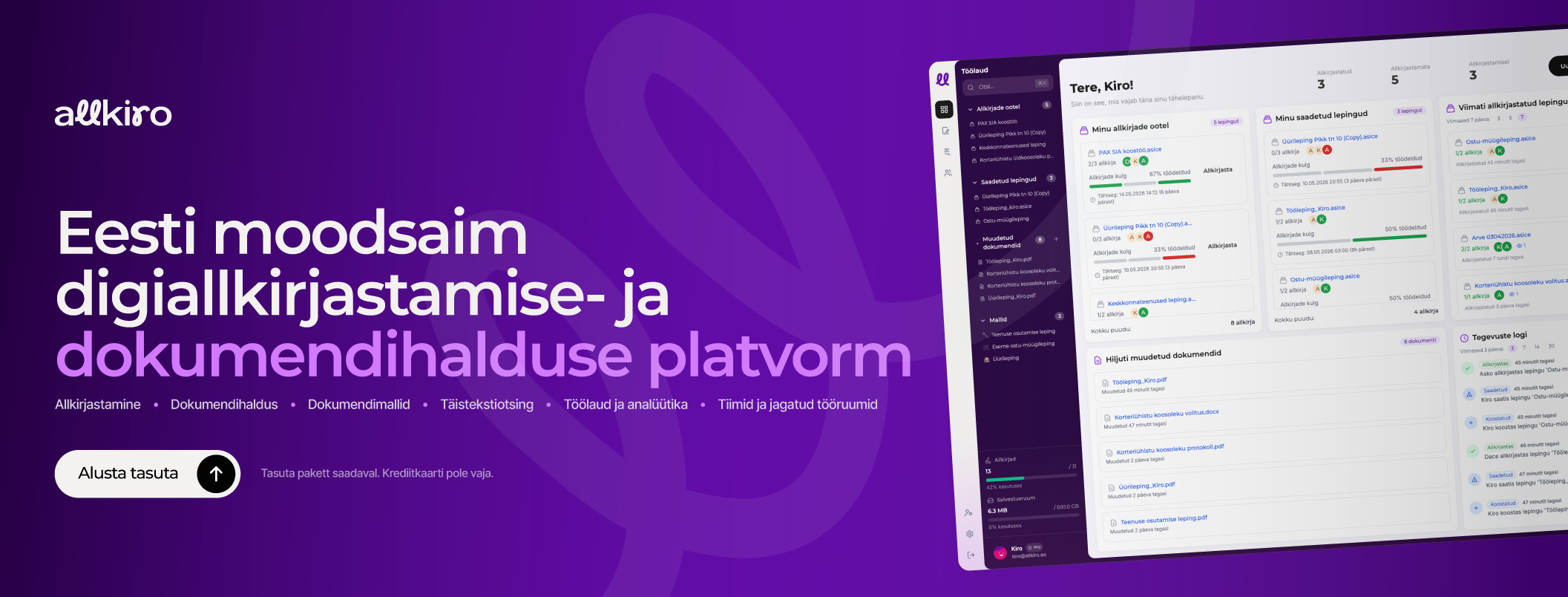
Allkiro is an Estonian platform that produces qualified eIDAS signatures with Smart-ID, Smart-ID+, Mobile-ID and the ID card, packaged in standard ASiC-E containers you can verify anywhere. Around the signature it adds parallel and sequential workflows, deadlines with automatic reminders, shared team workspaces, folders, tags, reusable templates, and full-text search that reads document contents. Interface in Estonian, English, Latvian and Lithuanian; data in the EU; a free-forever plan with no card required.
%20--%3e%3c!DOCTYPE%20svg%20PUBLIC%20'-//W3C//DTD%20SVG%201.1//EN'%20'http://www.w3.org/Graphics/SVG/1.1/DTD/svg11.dtd'%3e%3csvg%20version='1.1'%20id='Layer_1'%20xmlns='http://www.w3.org/2000/svg'%20xmlns:xlink='http://www.w3.org/1999/xlink'%20x='0px'%20y='0px'%20width='233px'%20height='54.087px'%20viewBox='0%200%20233%2054.087'%20enable-background='new%200%200%20233%2054.087'%20xml:space='preserve'%3e%3cpath%20fill='%23FFFFFF'%20d='M27.826,28.895v-0.418c0-4.176-3.86-6.874-9.835-6.874c-4.52,0-8.212,1.583-10.682,4.576l-0.08,0.095%20l-0.101-0.071L1.04,21.91l0.103-0.112c4.018-4.398,9.742-6.631,17.01-6.631c11.321,0,18.354,5.045,18.354,13.168v24.38h-8.683v-4.47%20c-2.978,3.338-7.7,5.171-13.346,5.171c-8.568,0-14.105-4.041-14.105-10.294c0-2.901,1.18-5.479,3.508-7.668%20C9.368,30.3,20.107,28.447,27.826,28.895z%20M27.824,39.969v-6.737c-0.149,0-0.301-0.001-0.454-0.001%20c-5.439,0-12.726,1.199-16.217,4.635c-1.283,1.262-1.934,2.724-1.934,4.345c0,3.982,4.023,5.402,7.79,5.402%20C23.076,47.612,27.824,44.254,27.824,39.969z%20M89.318,44.667l0.672,8c-5.599,0.474-10.31-1.691-13.701-5.989%20c-3.828,3.595-7.924,5.654-11.997,5.984v0.005c-0.095,0.007-0.188,0.005-0.283,0.012c-0.288,0.018-0.578,0.051-0.866,0.051%20c-0.023,0-0.044,0-0.067,0v-0.012c-0.091,0.001-0.184,0.012-0.273,0.012c-6.256,0.001-11.289-3.429-14.429-9.531%20c-2.519,0.985-5.135,1.317-7.78,0.958l1.081-7.957c1.389,0.189,2.751-0.06,4.065-0.633c-0.313-1.479-0.554-3.046-0.714-4.688%20C43.716,17.522,47.859,2.486,56.836,1.477c3.453-0.392,6.429,1.007,8.169,3.824c3.93,6.369,0.583,18.938-4.925,27.408%20c-1.542,2.372-3.202,4.399-4.956,6.062c1.525,3.396,4.084,6.196,8.373,5.899c2.779-0.154,5.898-2.123,8.909-5.487%20c-0.814-2.477-1.382-5.257-1.684-8.307C69.414,17.521,73.558,2.484,82.535,1.477c3.062-0.343,5.763,0.855,7.416,3.287%20c4.285,6.311,0.55,19.857-4.734,29.773c-1.126,2.117-2.317,4.068-3.557,5.844C83.251,43.034,85.657,44.97,89.318,44.667z%20M52.919,28.953c1.011-1.467,1.895-3.023,2.618-4.531c3.766-7.864,3.515-14.028,2.579-14.987c-0.013,0.012-0.142-0.005-0.384,0.021%20C55.809,9.673,52.144,18.018,52.919,28.953z%20M79.119,28.816c4.644-9.602,5.254-17.516,4.305-19.358%20c-1.968,0.24-5.749,8.962-4.746,20.254C78.828,29.417,78.974,29.117,79.119,28.816z%20M136.483,52.715h-10.718l-0.04-0.051%20l-13.561-17.202l-7.28,5.9v11.353H96.2V1.293h8.684v30.898l20.245-16.254h11.044l-0.292,0.239l-17.299,14.07L136.483,52.715z%20M140.01,52.715V15.938h8.683v36.776H140.01z%20M140.094,6.472c0-2.387,1.934-4.322,4.322-4.322c2.387,0,4.322,1.936,4.322,4.324%20c0,2.387-1.936,4.322-4.322,4.322C142.028,10.796,140.094,8.858,140.094,6.472z%20M189.568,22.027l-7.392,3.131%20c-0.521-1.229-1.393-2.794-2.582-3.259c-1.147-0.448-2.777,0.084-3.943,0.608c-2.015,0.912-3.933,2.462-5.658,4.356%20c2.121,4.871,3.146,10.398,2.938,15.064c-0.399,8.977-5.12,12.158-9.497,12.158c-0.08,0-0.164-0.002-0.245-0.003%20c-4.588-0.124-7.873-2.91-8.788-7.449c-1.09-5.402,1.451-13.633,6.035-20.508c-1.549-2.136-3.381-3.553-5.313-3.673l0.495-8.012%20c3.993,0.248,7.366,2.327,10.045,5.396c2.06-1.96,4.312-3.572,6.682-4.645c3.737-1.69,7.161-1.949,10.175-0.771%20C185.563,15.611,187.935,18.171,189.568,22.027z%20M164.368,35.545c-1.696,3.73-2.535,7.326-2.097,9.505%20c0.192,0.945,0.378,0.988,1.136,1.008c0.004,0,0.007,0,0.01,0c0.625,0,1.371-1.706,1.495-4.483%20C164.998,39.657,164.797,37.588,164.368,35.545z%20M231.96,34.293c0,11.26-8.556,19.123-20.805,19.123%20c-12.3,0-20.888-7.863-20.888-19.123c0-11.261,8.59-19.124,20.888-19.124C223.405,15.169,231.96,23.032,231.96,34.293z%20M223.032,34.292c0-7.709-4.662-12.69-11.876-12.69c-7.265,0-11.96,4.981-11.96,12.69c0,7.708,4.695,12.688,11.96,12.688%20C218.37,46.98,223.032,42,223.032,34.292z'/%3e%3c/svg%3e)

'%3e%3cmask%20id='mask0_3549_12387'%20style='mask-type:luminance'%20maskUnits='userSpaceOnUse'%20x='0'%20y='0'%20width='24'%20height='24'%3e%3cpath%20d='M24%200H0V24H24V0Z'%20fill='white'/%3e%3c/mask%3e%3cg%20mask='url(%23mask0_3549_12387)'%3e%3cmask%20id='mask1_3549_12387'%20style='mask-type:luminance'%20maskUnits='userSpaceOnUse'%20x='0'%20y='0'%20width='24'%20height='24'%3e%3cpath%20d='M24%200H0V24H24V0Z'%20fill='white'/%3e%3c/mask%3e%3cg%20mask='url(%23mask1_3549_12387)'%3e%3cpath%20d='M12%202C14.717%202%2015.056%202.01%2016.122%202.06C17.187%202.11%2017.912%202.277%2018.55%202.525C19.21%202.779%2019.766%203.123%2020.322%203.678C20.8305%204.1779%2021.224%204.78259%2021.475%205.45C21.722%206.087%2021.89%206.813%2021.94%207.878C21.987%208.944%2022%209.283%2022%2012C22%2014.717%2021.99%2015.056%2021.94%2016.122C21.89%2017.187%2021.722%2017.912%2021.475%2018.55C21.2247%2019.2178%2020.8311%2019.8226%2020.322%2020.322C19.822%2020.8303%2019.2173%2021.2238%2018.55%2021.475C17.913%2021.722%2017.187%2021.89%2016.122%2021.94C15.056%2021.987%2014.717%2022%2012%2022C9.283%2022%208.944%2021.99%207.878%2021.94C6.813%2021.89%206.088%2021.722%205.45%2021.475C4.78233%2021.2245%204.17753%2020.8309%203.678%2020.322C3.16941%2019.8222%202.77593%2019.2175%202.525%2018.55C2.277%2017.913%202.11%2017.187%202.06%2016.122C2.013%2015.056%202%2014.717%202%2012C2%209.283%202.01%208.944%202.06%207.878C2.11%206.812%202.277%206.088%202.525%205.45C2.77524%204.78218%203.1688%204.17732%203.678%203.678C4.17767%203.16923%204.78243%202.77573%205.45%202.525C6.088%202.277%206.812%202.11%207.878%202.06C8.944%202.013%209.283%202%2012%202ZM12%207C10.6739%207%209.40215%207.52678%208.46447%208.46447C7.52678%209.40215%207%2010.6739%207%2012C7%2013.3261%207.52678%2014.5979%208.46447%2015.5355C9.40215%2016.4732%2010.6739%2017%2012%2017C13.3261%2017%2014.5979%2016.4732%2015.5355%2015.5355C16.4732%2014.5979%2017%2013.3261%2017%2012C17%2010.6739%2016.4732%209.40215%2015.5355%208.46447C14.5979%207.52678%2013.3261%207%2012%207ZM18.5%206.75C18.5%206.41848%2018.3683%206.10054%2018.1339%205.86612C17.8995%205.6317%2017.5815%205.5%2017.25%205.5C16.9185%205.5%2016.6005%205.6317%2016.3661%205.86612C16.1317%206.10054%2016%206.41848%2016%206.75C16%207.08152%2016.1317%207.39946%2016.3661%207.63388C16.6005%207.8683%2016.9185%208%2017.25%208C17.5815%208%2017.8995%207.8683%2018.1339%207.63388C18.3683%207.39946%2018.5%207.08152%2018.5%206.75ZM12%209C12.7957%209%2013.5587%209.31607%2014.1213%209.87868C14.6839%2010.4413%2015%2011.2044%2015%2012C15%2012.7957%2014.6839%2013.5587%2014.1213%2014.1213C13.5587%2014.6839%2012.7957%2015%2012%2015C11.2044%2015%2010.4413%2014.6839%209.87868%2014.1213C9.31607%2013.5587%209%2012.7957%209%2012C9%2011.2044%209.31607%2010.4413%209.87868%209.87868C10.4413%209.31607%2011.2044%209%2012%209Z'%20fill='black'/%3e%3c/g%3e%3c/g%3e%3c/g%3e%3cdefs%3e%3cclipPath%20id='clip0_3549_12387'%3e%3crect%20width='24'%20height='24'%20fill='white'/%3e%3c/clipPath%3e%3c/defs%3e%3c/svg%3e)